
AutoPult for Dealer Groups – Central Control, Local Flexibility
Dealer groups with multiple locations face unique challenges: uniform processes across all branches, centralized reporting, and yet local autonomy. AutoPult offers a multi-location solution that combines central control with site-specific flexibility.
Multi-Location Management
Manage all locations of your dealer group in a single AutoPult instance. Each location has its own inventory, its own staff, and its own settings – but management retains an overview of the entire company.
Central Administration
Manage users, roles, and permissions centrally. Define processes and templates that apply across all locations.
Location Autonomy
Each location can configure its own settings: business hours, contact persons, listing texts, and local pricing rules.
Inventory Transfer
Transfer vehicles between locations with one click. The inventory history and all costs are fully documented.

B2B Features for Dealer-to-Dealer Trading
AutoPult supports internal and external B2B trading. Offer vehicles to other dealers or purchase from your partner companies’ inventory. The B2B area enables trading vehicles internally between locations or offering them to external B2B partners.
Internal Vehicle Marketplace
Locations within the dealer group can offer and acquire vehicles from each other. Internal transfer prices and transfers are automatically documented.
B2B Partner Portal
Offer selected vehicles to external dealer partners via a B2B portal. Purchase terms, volume discounts, and payment conditions are individually configured.
- Internal vehicle trading between locations with automatic settlement
- B2B price lists and special terms for trading partners
- Separate B2B inventory that does not appear on public portals
- B2B invoices and credit notes with dedicated numbering logic
- Partner portal with login for external dealers
Central Reporting and Group Reports
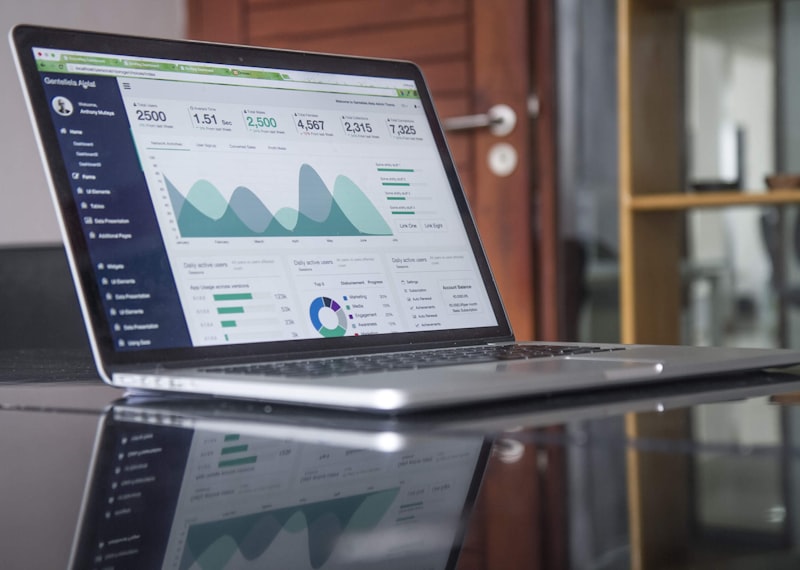
The management of a dealer group needs the big picture – without having to sift through individual location data. AutoPult’s statistics module aggregates all data and presents it in group-wide reports.
Group Dashboard
Revenue, margin, inventory, and sales across all locations at a glance. Drill down into individual locations, brands, or salespeople for detailed analysis.
Location Comparison
Compare the performance of your locations: Which branch sells the most? Where are the days-in-stock the shortest? Where is the margin the highest?
- Group-wide revenue and margin reports in real time
- Location comparisons by any KPIs
- Automatic monthly reports sent by email to management
- Export function for external BI tools and reporting systems
- Consolidated DATEV export or separate exports per location

Role-Based Permission System
In a dealer group, different people have different responsibilities. AutoPult offers a fine-grained permission system: location managers see only their location, management sees everything, salespeople see only their own customers and vehicles.
Management
Access to all locations, all data, all reports. Configuration of company-wide settings and processes.
Location Manager
Full access to their own location. Staff management, local settings, and location reports.
Staff
Access according to role: salespeople see CRM and vehicles, workshop staff see orders and parts, accounting sees invoices.
Central Master Data Management
Maintain master data such as text templates, price lists, service catalogs, and listing templates centrally and distribute them to all locations. Changes take effect everywhere immediately – ensuring uniform quality and corporate identity.
- Central templates for listings, invoices, and emails
- Uniform price lists and calculation rules
- Cross-location service catalogs for the workshop
- Corporate identity settings (logo, colors, letterhead) per location
Frequently Asked Questions for Dealer Groups
How many locations can AutoPult manage?
AutoPult is designed for scalability. Whether 2 or 20 locations – the architecture grows with your dealer group. Each location is managed as an independent unit with its own settings.
Can individual locations use different modules?
Yes. If one location only handles vehicle trading and another additionally has a workshop, modules can be activated on a per-location basis.
How does the DATEV export work with multiple locations?
You can create a consolidated export for the entire group or separate exports per location – depending on how your accounting is organized. Different chart of accounts per location are possible.
Does AutoPult offer volume discounts for dealer groups?
Yes. For dealer groups, we offer individual terms based on the number of locations and users. Contact us for a tailored offer.